X

Select Your Currency

Euro $ US Dollar £ British Pound
X

Select Your Currency

Euro $ US Dollar £ British Pound
❄️ Winter Launch: Get 50% OFF First Month on 8GB+ RAM NVMe VPS Plans! Use Code: WELCOME50

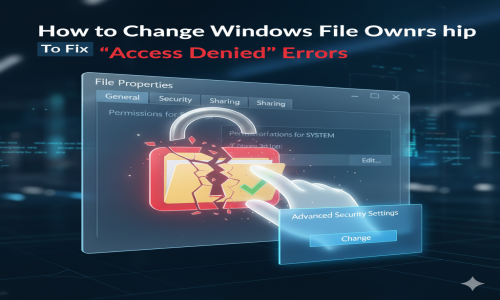
How to Change Windows File Ownership to Fix 'Access Denied' Errors

HomepageArticlesServer SolutionsHow to Change Windows File Ownershi...

Fix "Access Denied" Errors: Add 'Take Ownership' to Context Menu (or use CMD)

If you manage Windows servers, you've likely hit this wall: You are the Administrator, but when you try to delete or edit a folder, Windows stubbornly says:

"Access Denied" or "You require permission from TrustedInstaller".

The problem is Ownership. Even Admins can't touch files owned by the System. Here are the two fastest ways to fix this: The "One-Click" Registry Hack (our custom tool) and the Manual CMD method.


Method 1: The "One-Click" Solution (Registry Hack)

Why type commands when you can just right-click? We created a simple registry script that adds a "Take Ownership" button directly to your Windows right-click menu.

Download the Tool

Get the .reg file safely from our tools server:

Download Take Ownership Script (.zip)

Contains: Add_Take_Ownership.reg (Enable) and Remove_Take_Ownership.reg (Disable)

How to Install & Use:

  1. Download and unzip the file.
  2. Double-click Add_Take_Ownership_to_context_menu.reg.
  3. Click Yes on the warning prompts.
  4. Now, Right-Click on any stubborn folder. You will see the new option:
Open
...
Take Ownership (New!)
...

Click it, and a CMD window will flash for a second. You now own the files!


Method 2: The Manual Way (CMD Commands)

If you cannot download files (e.g., on a restricted server), you can achieve the exact same result using the Command Prompt.

  1. Open CMD as Administrator.
  2. Run this command to take ownership recursively:
takeown /f "C:\Path\To\Folder" /r /d y

Then, grant yourself full permissions:

icacls "C:\Path\To\Folder" /grant Administrators:F /t

Crucial Final Step: Resetting Inheritance

Note: Just taking ownership isn't always enough. You often need to reset the permission inheritance.

  1. Right-click the folder > Properties > Security > Advanced.
  2. Check the box at the bottom: "Replace all child object permission entries with inheritable permission entries...".
  3. Click Apply. This fixes any lingering "Access Denied" errors in subfolders.

Need Full Root Access?

Stop fighting with permissions on shared hosting. Get full Admin control with ErkmenHost Dedicated Servers.


View Server Plans


Top